
WBRC 6 News
Gray MediaNews & Magazines
3.6696.00 Reviews
- Version
- Varies With Device
- Installs
- 100.00K
- Age Rating
- Everyone
Screenshots
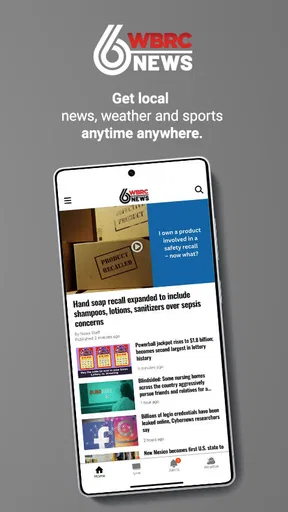
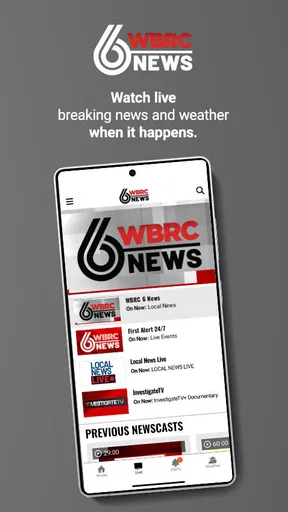

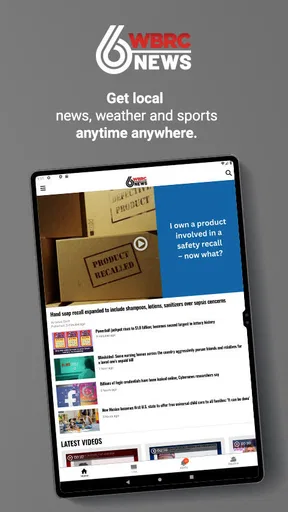
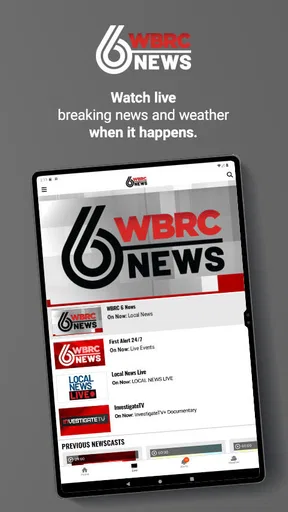

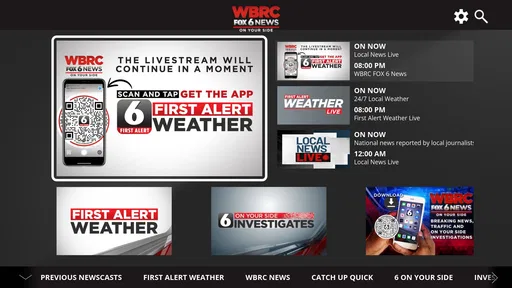
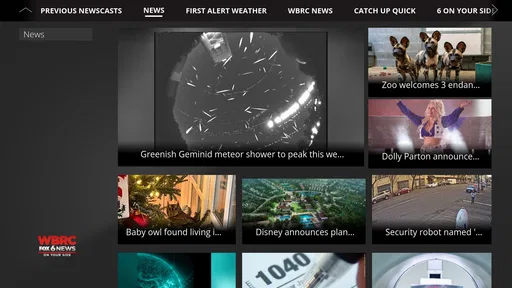
Our Review of WBRC 6 News
 Analysis by Appyee
When I want a quick look at what is happening around central Alabama, I prefer a local news app that gets to the point instead of making me search through a national feed. That is where WBRC 6 News makes sense. Developed by Gray Media, this free News & Magazines app focuses on local reporting and weather for the area, giving it a much narrower purpose than a general news reader.
I approached it as an everyday information tool rather than a replacement for every news source on my phone. Its value depends heavily on whether I live in, work in, or regularly travel through central Alabama. For that audience, the local focus is the main reason to install it. For everyone else, the app is unlikely to offer enough relevant material to justify keeping it around.
How clearly the app presents local news
The strongest part of the experience is the straightforward editorial purpose. The app is not trying to combine worldwide headlines, entertainment feeds, shopping links, and social updates into one crowded destination. Its identity is tied to WBRC 6 News, so I can approach it with a clear expectation: local news and weather are the priorities.
That focus is helpful for readers who find broad news apps tiring or distracting. A national application may show dozens of stories before I reach anything about my own county or commute. A local station app can reduce that search time because the geographic relevance is built into the product. I would especially value that during a storm, a major traffic disruption, or a developing public-safety story when the most useful information is not national.
At the same time, a focused local app requires me to accept a narrower reading experience. I should not install it expecting a complete national briefing or a carefully organized international news digest. My usual workflow would be to use WBRC 6 News for central Alabama developments, then turn to another source for broader context. That combination is more practical than expecting one station app to cover every subject equally well.
The app has been available since July 12, 2011, which gives it a long presence compared with many short-lived local information tools. Its developer is Gray Media, a name associated with the station rather than an anonymous third-party feed. The audience scale also suggests that it is an established choice: the app has passed 100 thousand installs and holds an average rating of 3.6 from around 2.9 thousand ratings.
I would not treat that rating as a final verdict by itself. News apps often receive mixed reactions because people judge them during stressful moments, such as severe weather or breaking news. A reader may love the local coverage but dislike a particular update, notification, or loading experience. The rating tells me to keep expectations realistic: this is useful local infrastructure, not a flawless news-reading environment.
Readability for short visits and deeper reading
For accessibility, the first question is whether I can understand the app without unnecessary effort. A local news tool works best when headlines are easy to distinguish from supporting text and when the most urgent information is not buried beneath decorative material. The app’s narrow mission gives it a natural advantage here, because I am opening it with a specific purpose instead of browsing an endless collection of unrelated topics.
My practical advice is to use it in short, intentional sessions. I would open it to check the latest local headlines, scan weather information, and decide whether a story deserves a full read. That habit reduces the cognitive load that comes from repeatedly refreshing a feed without knowing what I am looking for. It also makes the app more useful for someone who has limited time or prefers information in small portions.
People who need larger text or stronger visual contrast should check how the current app behaves with the display settings on their phone. I would not assume that every headline, image, or weather element will be equally comfortable for every reader. A useful test is to increase system text size before relying on the app during an emergency. If important labels become cramped or content is cut off, the app may be better as a secondary source than as the only way to receive updates.
That test is worth doing early because local news is often consumed under pressure. I may be outside in bright sunlight, moving between tasks, or trying to read while dealing with a changing situation. A layout that feels perfectly acceptable at home can become harder to use when glare, fatigue, or poor connectivity enters the picture. The app’s usefulness is therefore tied not only to what it publishes, but also to how comfortably I can identify the important parts.
Navigation choices that help different readers
I find a local station app easiest to use when I treat it as a reference point rather than a social platform. Instead of opening it without a plan, I would decide whether I am checking headlines, weather, or a specific developing story. That simple distinction helps readers who become overwhelmed by multiple content types and gives the visit a clear beginning and end.
For someone with attention-related difficulties, the local scope can be a genuine benefit. There is less temptation to drift into unrelated national stories, and the app’s purpose is easier to remember. I would still avoid relying on the first headline alone. A short headline may not provide enough context about location, timing, or what action residents should take, so opening the complete story is important when the subject affects travel, schools, health, or safety.
For readers who process written information slowly, the best approach is to save the app for moments when a quick headline scan is enough and use a larger screen for longer reading when possible. A phone is convenient, but convenience does not always equal comfort. If I need to compare several updates or follow a complicated event, the browser or another larger-screen option may be easier on my eyes and concentration.
Using WBRC 6 News across abilities and real situations
I look at accessibility in the situations where a local news app is most likely to matter: a quick check before leaving home, or a focused read when the weather changes. Testing the controls and text settings on an ordinary day can make those moments less stressful. The next section considers how motor and sensory needs shape that everyday use.
Motor and sensory considerations during ordinary use
News apps are often used with one hand, while standing in a kitchen, waiting in a car, or carrying a bag. That makes touch accuracy important. I would be cautious about tapping rapidly through a developing story, especially if I have limited dexterity or use a larger text setting. A slower workflow—open the app, choose one headline, read it fully, and return deliberately—can be more reliable than trying to move quickly through many small controls.
Voice control and system-level accessibility tools may help some users interact with the app, but the quality of that experience depends on how clearly each control is labeled. I would test those tools with ordinary tasks such as opening a headline, returning to the feed, and locating weather information. If the phone announces controls in a confusing order, I would keep another route available, such as the station’s other official access point, rather than depending on the app alone.
For users sensitive to motion, flashing content, or sudden sound, I would make the first test in a calm environment and review the phone’s general notification and media settings. A news app can become uncomfortable when alerts, video, or changing content compete for attention, even if the written reporting itself is valuable. The safest habit is to control interruptions at the device level and open the app when I am ready to read.
Readers with hearing loss should consider how much of their news routine depends on video or audio. Written articles are the more dependable route when I need information without sound, but I would not assume every form of coverage presents the same level of text support. If a crucial update is delivered primarily through a broadcast-style element, I would cross-check it with readable reporting or another trusted channel.
Readers with low vision face a different trade-off. A phone is portable and can be enlarged, but enlarging content may require more scrolling and make it harder to see the relationship between a headline, its image, and its surrounding controls. I would favor portrait reading, increase brightness only as much as comfortable, and avoid using the app as my sole source when conditions make the screen difficult to inspect.
Situational access: weather, commuting, and urgent checks
The clearest everyday use case is a morning commute. Before leaving home, I could open the app to scan central Alabama headlines and check the weather, then decide whether I need extra travel time or different clothing. The value is not that it replaces a dedicated navigation or weather service; it is that local reporting and weather context sit together in a source aimed at the area where I am actually going.
During severe weather, the app becomes more relevant but also more demanding. I would not wait until the sky changes to learn how it works. I would open it on a normal day, identify where local weather information appears, and make sure I can read headlines with the phone’s current settings. That preparation matters for older adults, people with visual or motor limitations, and anyone who becomes anxious when information is hard to locate.
There is also a useful distinction between checking and monitoring. I would use the app for deliberate checks when I want local context, but I would not assume that keeping it open continuously is the best strategy. Continuous monitoring can drain attention and make it harder to separate meaningful updates from routine ones. A better arrangement is to combine this app with the phone’s emergency tools and a trusted weather source, giving each tool a clear job.
For people who travel into central Alabama occasionally, the app can serve as a local orientation tool. It may help me understand what issues are receiving attention in the area before I rely on national coverage. However, visitors should remember that a local station’s perspective is naturally regional. If I am driving across several states, I would pair it with broader traffic, weather, and public-safety resources rather than treating it as a complete travel companion.
Where the experience may create barriers
The biggest barrier is relevance. Someone outside central Alabama may open the app and find that its strongest material does not apply to daily life. That is not a flaw in the local mission, but it is an important reason to skip the download if I want a general news reader. A national app, a newspaper with wider coverage, or a customizable aggregator will be a better fit for readers who move between regions.
Another barrier is the possibility of information overload at exactly the wrong moment. Local news is valuable during emergencies, but urgent stories can also be emotionally intense. Readers who are sensitive to alarming headlines should create a deliberate routine: check for the information needed, read the full context, and close the app instead of repeatedly refreshing. This is especially helpful for children and for adults who find breaking-news cycles disruptive.
The age rating is Everyone, which makes the app broadly suitable as a general news utility. That does not mean every individual story will feel comfortable for every household. News naturally includes subjects that may be upsetting, and families may want to guide younger readers through what they encounter. I would consider the rating a general access signal, not a promise that all coverage is emotionally neutral.
The app is free, which removes a subscription decision for someone who simply wants to try local coverage. Still, “free” does not automatically mean frictionless. I would evaluate how much time the app demands, how comfortable the text is on my device, and whether it fits my preferred way of receiving updates. A free application that I cannot read comfortably or that does not match my location is still a poor personal choice.
I would also avoid making it the only channel for critical instructions. A phone can lose battery, signal, or usability when weather conditions are difficult. People who depend on captions, screen magnification, voice control, or other assistive methods should keep a backup source that works in a different format. That is not a criticism unique to this app; it is a sensible safeguard for any mobile news service.
Who should install it, and who should choose something else?
I recommend trying it if you live in central Alabama and want a direct way to follow local news and weather without building a complicated collection of sources. It is particularly suitable for residents who prefer short check-ins, commuters who want regional context, and households that need a familiar local outlet for day-to-day awareness.
I would also consider it for an older family member who already recognizes the WBRC 6 News identity and mainly needs local headlines. Before recommending it, I would adjust the phone for comfortable text size, demonstrate the basic reading path, and make sure that person has another way to receive urgent information. Familiarity with the station can reduce the learning curve, but it should not replace a practical accessibility test.
I would skip it if my main interest is international reporting, specialist journalism, or a single cross-country feed. I would also choose a different option if I need advanced organization tools, extensive personalization, or a reading experience designed primarily around accessibility controls. In those cases, a broader service with stronger customization may be more efficient, even if it provides less local depth.
My final assessment is positive but specific. WBRC 6 News is most useful when local relevance matters more than breadth. Its free access, established presence, and central Alabama focus make it a sensible companion for regional awareness. The app is not a universal answer for news, and I would not rely on it alone during a serious emergency. But when I use it for what it does best—quick, local checks and weather awareness—it can fit comfortably into an inclusive daily routine.
For readers deciding whether to keep it installed, I would make the choice after one realistic trial: open it in the lighting and text settings you normally use, find the local headlines, check the weather section, and test the controls with your preferred assistive tools. If that process feels clear and the coverage matches your location, the app earns a place on the phone. If reading or navigation remains difficult, another source may serve you better, regardless of its free price or local reputation.
Verdict
Strengths of WBRC 6 News
- Live local news, weather updates, and alerts in one app.
- Covers Birmingham and surrounding Alabama communities.
- Video reports make major stories easy to follow.
- Weather radar and forecasts support daily planning.
- Simple navigation helps users find recent news quickly.
Limitations of WBRC 6 News
- Some stories may load slowly on weaker mobile connections.
- Frequent notifications can feel excessive for some users.
- Video playback may consume significant mobile data.
- Coverage is focused mainly on the local Birmingham area.
- Advertising can interrupt browsing and reduce screen space.
Other Releases by Gray Media
View All
KY3 Weather
Weather4.6

Telemundo Atlanta
News & Magazines4.3

FOX5 Vegas - Las Vegas News
News & Magazines2.9

WAFF 48 First Alert Weather
Weather4.6
Similar Picks in This Category
View All
Google News - Daily Headlines
Google LLC4.0

X
X Corp.4.8

Flipboard:Your Social Magazine
Flipboard3.4

Opera News: breaking & local
Opera4.5

Hindi News by Dainik Bhaskar
Dainik Bhaskar Group4.0

Way2News Daily News App
Way2News ( Formerly Way2SMS )4.6
Frequently Asked Questions
What is WBRC 6 News?
WBRC 6 News is the official news app for WBRC FOX6 News, serving Birmingham, Alabama, and surrounding communities. It provides access to local and regional headlines, breaking-news alerts, live or on-demand newscasts when available, weather forecasts, radar information, video reports, traffic updates, and other stories published by the station’s newsroom.
What type of news and information can I find in the WBRC 6 News app?
The app generally covers breaking local news, crime and public safety, politics, education, health, community events, sports, entertainment, and consumer stories. Its weather section may include hourly and extended forecasts, interactive radar, severe-weather information, and location-based updates. Content availability can change depending on developing events and newsroom coverage.
Does WBRC 6 News provide breaking-news and severe-weather alerts?
Yes, the app is designed to deliver notifications for important local developments, breaking stories, weather warnings, and other urgent updates. After installation, you can usually choose whether to allow notifications and may be able to adjust alert preferences in the app or device settings. Enabling alerts is especially useful during severe weather, but frequent notifications may consume attention or data.
Can I watch live news or videos through WBRC 6 News?
WBRC 6 News includes video content such as recorded reports, interviews, weather segments, and news clips. Live streaming may also be offered for newscasts or special coverage, although access can depend on the broadcast schedule, your location, internet connection, and station or platform requirements. Some streams may include advertising or require an updated app version.
Is WBRC 6 News free to download and use?
The WBRC 6 News app is generally free to download, and its core news, weather, video, and alert features are typically available without a subscription. However, it may contain advertisements, and mobile data charges can apply when watching videos, using live streams, or downloading content over cellular networks. Availability and features may vary between Android and iOS versions.
